FDA Regulatory Intelligence / Docket Lens
From public comments
to an inspectable
regulatory record.
Docket Lens is an agentic AI workflow for analyzing FDA guidance dockets on Regulations.gov, with an open-source retrieval server and an interactive Explorer.
Examine who commented, what they requested, and how the final guidance compared, with supporting evidence behind the findings.
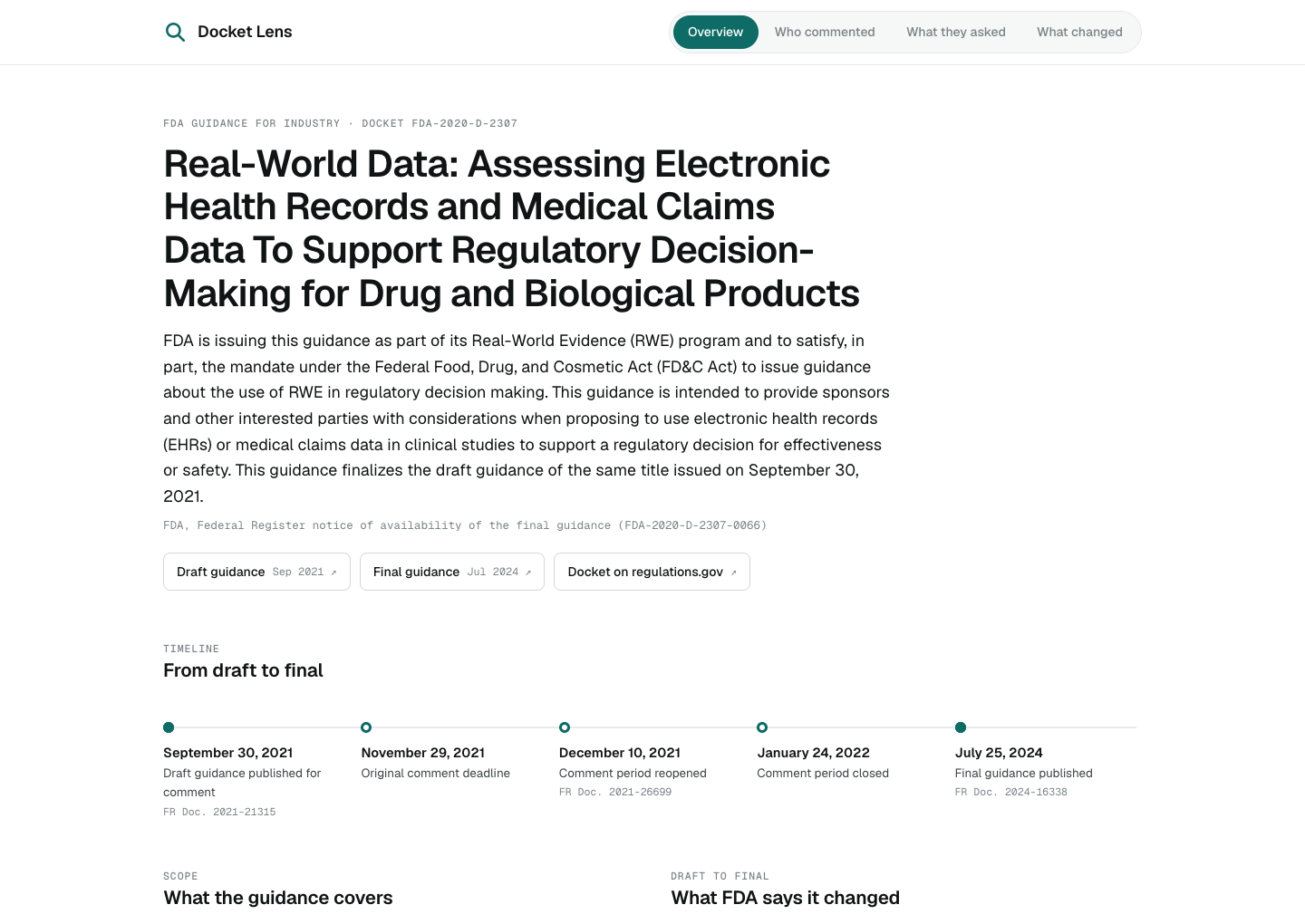 The Explorer · EHR and medical claims guidance
How it works
An AI agent works with
the FDA docket record.
The agent coordinates the work
A compatible AI application follows the project’s analysis instructions, calls MCP tools, and uses the returned evidence to classify submitters, identify requests, and propose comparisons with final guidance.
The agent calls retrieval tools as needed. Human approval gates key decisions before the reviewed analysis is shared.
Docket Lens connects a compatible AI application to regintel-mcp, the open-source Model Context Protocol (MCP) server we built for retrieving and preparing FDA docket material. The server uses the Regulations.gov API to search dockets, retrieve comments and attachments, extract document text, and compare draft and final guidance. A Regulations.gov API key is required to retrieve material for a new analysis.
The workflow is agentic because the AI agent can call these tools and use their results to carry out a sequence of analysis tasks. Project instructions guide the agent through classifying submitters, proposing a theme codebook, extracting individual requests with supporting quotations, and assessing whether final guidance reflects each request. The MCP server handles retrieval and document preparation; the AI model performs the interpretation.
Human review is built into four checkpoints: confirming the source documents and corpus, reviewing submitter classifications, approving the codebook, and checking samples of theme coding and guidance comparisons. The reviewed analysis is then used to generate an Explorer where others can inspect the findings and supporting evidence.
The current workflow and examples focus on FDA guidance dockets on Regulations.gov. A request reflected in final guidance shows concordance; it does not establish that the comment caused the change.
Inside the Explorer
Explore two FDA guidance dockets.
The screenshots below show the Explorer for FDA guidance on EHR and medical claims data and on data standards for real-world data. Select an image to view it at full size.
EHR and medical claims data
FDA-2020-D-2307 · Assessing electronic health records and medical claims data to support regulatory decision-making.
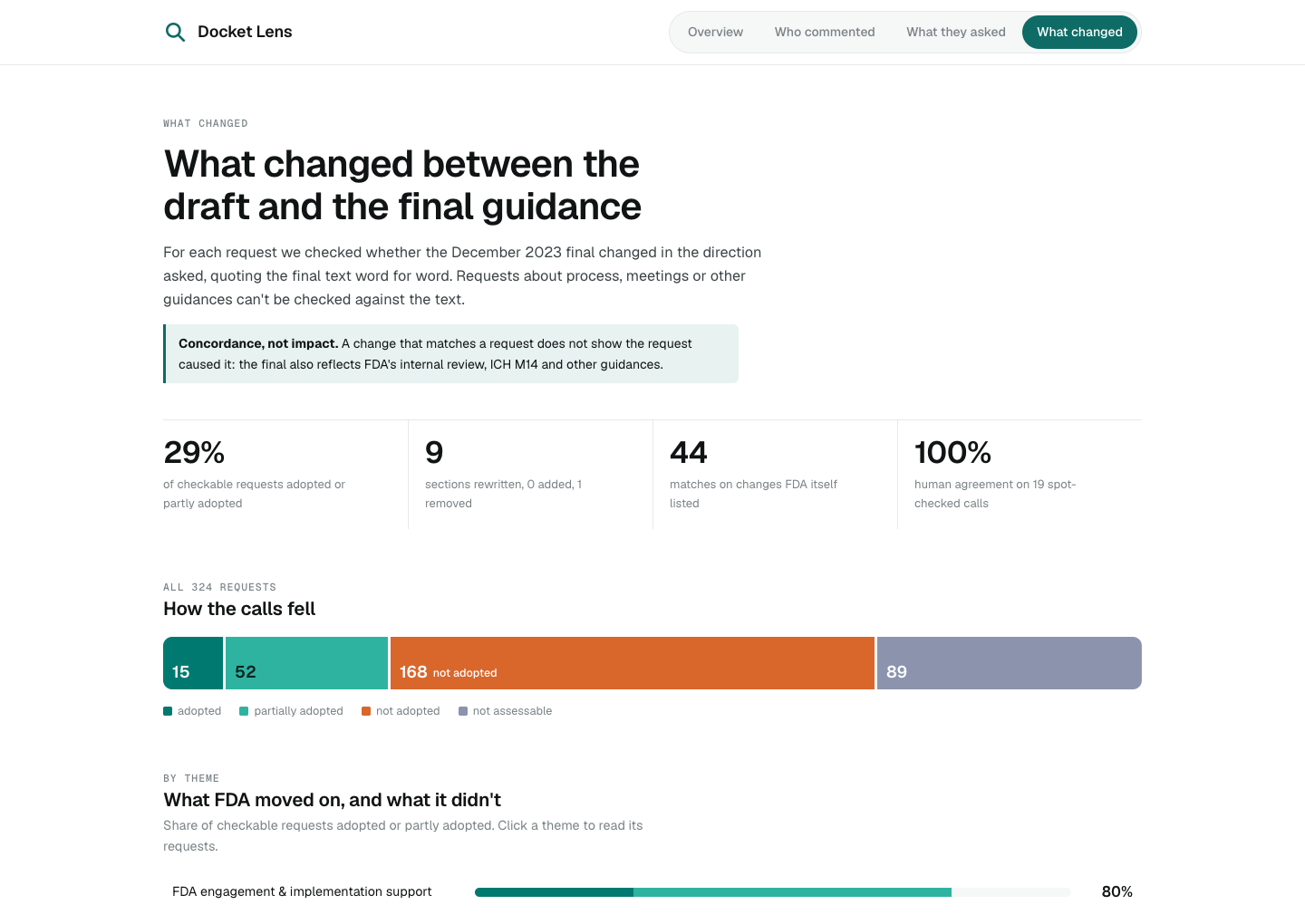
Data standards for real-world data
FDA-2021-D-0548 · Data standards for drug and biological product submissions containing real-world data.
Create your own analysis
Set up Docket Lens
for an FDA docket.
The getting-started guide walks through installation, obtaining a Regulations.gov API key, connecting the retrieval server, and generating an Explorer.
From retrieval to review
Retrieve the record. The server supplies tools for finding and preparing docket documents, comments, and attachments.
Analyze with human checkpoints. Review source selection, submitter classifications, coding rules, and sampled judgments.
Share the findings. Build an interactive Explorer from the reviewed analysis.
Viewing the existing Explorer requires no installation. Creating a new analysis requires technical setup, a compatible AI application, and human review.
The retrieval server is licensed under MIT. The Explorer is separately licensed under PolyForm Noncommercial. See the public GitHub project for source code and license details.
Interested in applying the workflow to a regulatory question? Discuss a pilot or collaboration