The Lab
Tools by task
Explore all toolsBuild a causal diagramDAG Studio Map study timingStudy Design Studio Plan a study & assess dataSPIFD2 Workspace Review reporting completenessTARGET Checklist Assess risk of biasROBINS-I Find tools & integrationsRWE MCP RegistryBuild your AI fluency
Reading List
This Week's Picks Archive How It Works
Writing
About
Contact
Open in browserOptional agent connection

Map study timing

Study Design
Diagram Studio

Make the timing of your study visible. Build assessment windows around an index event, document your choices, and export an editable diagram for review.

Start directly in the browser. Save JSON before leaving to keep your design; the workspace is session-only.

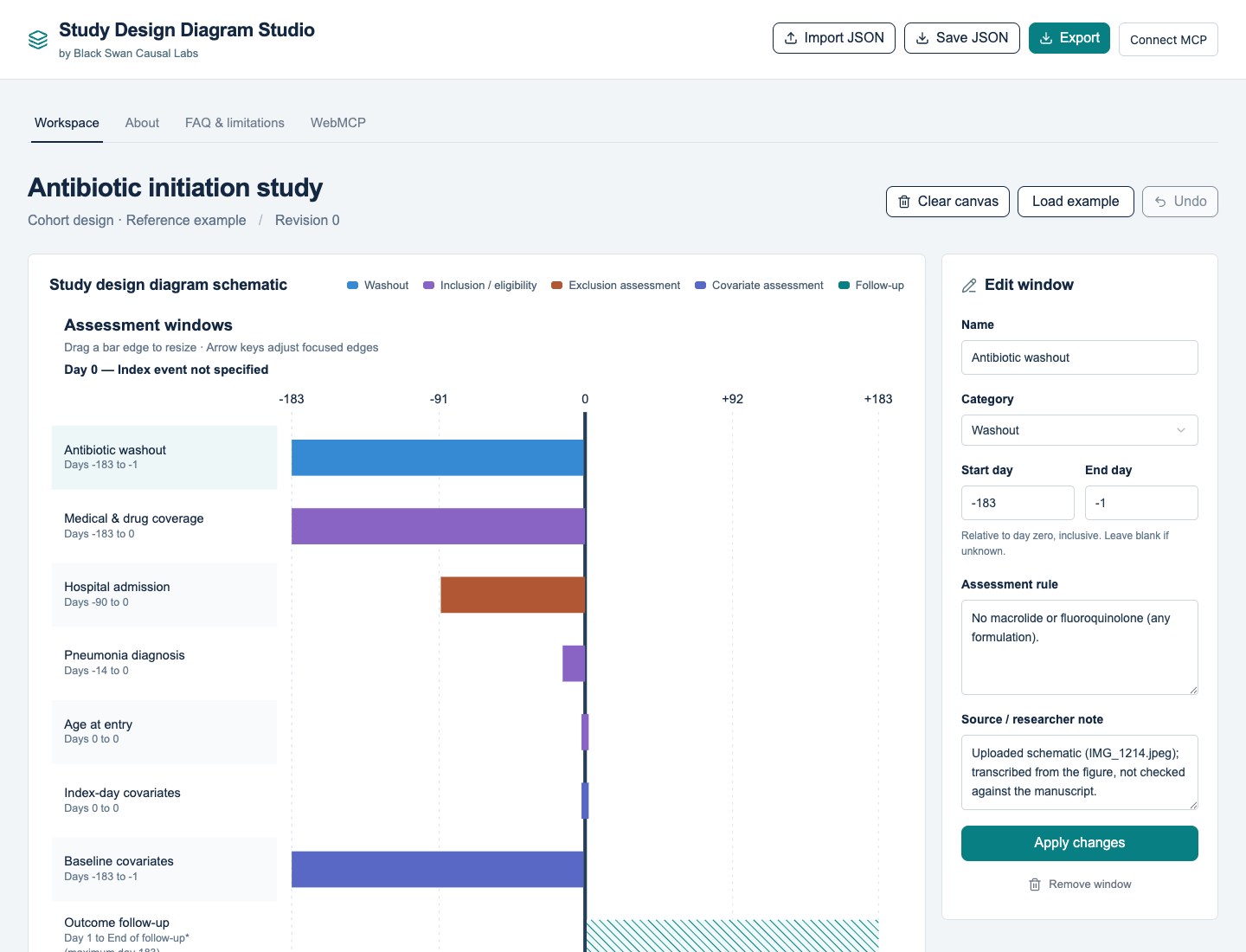
// the workspace · reference example Study Design Diagram Studio showing colored assessment windows around day zero and a panel for editing a window
At a glance

Map study timing.

Who it’s for
Researchers and evidence teams designing or communicating epidemiologic studies.
What to bring
An index event and the eligibility, assessment, and follow-up windows you need to describe.
What you get
A saved study specification and diagrams exported as SVG, PDF, or editable PowerPoint.

Keep in mind Completeness checks find missing information; they do not establish methodological validity. The preloaded reference example has not been verified against its manuscript.

The workspace

From study timing to a reviewable diagram.

A browser workspace for researchers designing and communicating epidemiologic studies. Keep washout, eligibility, exclusion, covariate assessment, and follow-up windows together on one timeline.

01

Build the timeline

Position windows relative to day zero. Drag their edges, use keyboard controls, or enter dates directly. Add, remove, and reorder design elements as your study takes shape.

02

Keep the reasoning with the design

Record assessment rules, study details, source notes, footnotes, and abbreviations. Keep documented evidence distinguishable from researcher-defined choices.

03

Review and revise

Use the completeness checklist to find missing information. Review edits on the canvas and use Undo to revisit a change. Unknown dates can stay unknown rather than becoming invented values.

04

Save and share

Save structured JSON to reopen the design later. Export SVG, PDF, or editable PowerPoint diagrams for discussion and presentation.

The workspace is session-only: use Save JSON before leaving. Completeness checks identify missing information; they do not establish methodological validity. The preloaded reference example has not been verified against its manuscript, and the app does not extract information from PDFs.

WebMCP

An agent that works on your current design.

Ten predefined tools let a compatible agent read the study specification, edit design elements and study details, check completeness, and return an SVG. Human and agent edits share the same canvas and Undo history.

01

Use a browser agent

Open the studio in a WebMCP-capable browser and ask a compatible agent to discover the page's tools. Native WebMCP uses the page directly and does not require the remote relay.

02

Or pair a remote MCP client

Select Connect MCP, then Enable connection. Add the displayed server URL and authorization header to a Streamable HTTP client with custom-header support, or use Copy MCP config if supported. Keep the studio tab open.

03

Read before editing

Ask the agent to read the current specification first. Changes must include its latest revision, helping prevent an agent from overwriting more recent human edits.

Remote pairing is optional. Tool arguments and results travel through a Cloudflare relay to your connected agent provider. Anyone with the temporary key can use that canvas's tools. Select Disconnect to end access; closing or reloading the tab also ends the session. Keys expire after two hours as a security measure.

The bridge is listed in the official MCP Registry. See the connection guide for setup and the complete tool reference. A website link alone does not give every agent WebMCP support; the remote bridge currently requires custom authorization headers and does not offer OAuth sign-in.

License and source

Available under Apache 2.0.

The original Study Design Diagram Studio canvas, native WebMCP integration, and remote MCP bridge are licensed under the Apache License 2.0. Copyright 2026 Black Swan Causal Labs, LLC. You can inspect, install, and modify the source on GitHub under its terms.

Third-party components retain their own licenses and attribution notices. The software license does not change rights in study content or third-party reference material, or grant trademark rights.

Get started

Make your next design easier to review.

Open the workspace and map your study windows. Save the JSON specification so you can return to the design.

Open the StudioExplore the other tools ↗